

Find delivery attempts for a reservation, check their destinations and processing statuses, and gather the details needed to investigate any failures.
Before you start
Searching does not send or resend a reservation. Submitting a new send requires the Reservations role or higher, or the Reservations - Actions permission.
Find delivery attempts
-
Select the property in the property selector.
-
Open Reservations → Delivery Status.
-
Enter the complete channel reservation number in Reservation ID to investigate one booking. Leave it blank to review multiple bookings. This field does not search PMS confirmation numbers. Numeric searches can also match internal IDs: confirm the displayed channel reservation number and source channel before investigating or sending.
-
Choose Delivery Type → PMS or Email to narrow the search down, or leave All selected.
-
Choose Delivery Status. Use Unsuccessful to find failed requests, or All to compare failures with later attempts issued after the failure.
-
Add Channel, Start Date or End Date only when needed. Channel matches a request's source or destination. Dates refer to when the delivery request was created - not arrival or departure. After entering a date, leave the field before searching.
-
Select Search. Check that your chosen filters remain displayed.
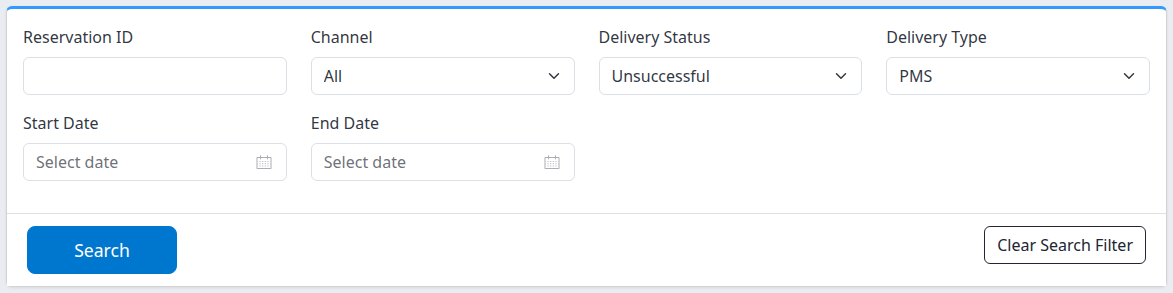
Example: search for unsuccessful PMS delivery requests at the selected property.
Use Clear Search Filter to remove the filters while keeping the selected property. With no dates entered, the search has no date restriction. More filters narrow the results.
Read the result
Each entry is a delivery request, not a unique booking. One reservation can have several requests or destinations (i.e. one request for the PMS, 3 requests for different email addresses).
-
Reservation ID / Status identifies the channel reservation and its booking status, such as new, modified or canceled. Select its reservation number to view that version of the reservation.
-
Delivered To identifies the destination channel or email address. The heading does not mean delivery succeeded.
-
The Status beneath the entry is the delivery-processing status: Pending, Processing, Successful or Unsuccessful. Do not confuse it with the booking status above. Pending and Processing are not completed delivery confirmations.
-
ID beneath the entry identifies the delivery request. The adjacent time is its creation time, displayed in your user time zone—not its completion time.
Successful records a successful processing outcome for that request. Check the correct destination and, where necessary, confirm the booking in the PMS or the email's receipt; an email success does not establish PMS delivery.
Results are normally shown in order of newest requests, up to 50 per page. When available, page forward » opens older requests and page back « returns to newer requests. A reservation ID search can return more than 50 matching requests. There is no overall total on this screen.
Investigate a failure
Read the error shown with an unsuccessful PMS request. Open History for reservation history, or Logs when available for delivery-request details. Times inside Logs are UTC, unlike the user-time-zone request time on Delivery Status. Email entries can show Delivery Receipt or Opened Receipt when that information is available.
With Delivery Status → Unsuccessful applied, a Reservation Delivery Failures Report link appears at the top right. It provides a separate investigation/export view. It carries the property and a lookback derived from Start Date—30 days when Start Date is blank. It does not preserve every filter, so its results can differ. The report's Timestamp is the request's last updated time, unlike the creation time shown in Delivery Status.
Do not resend merely because an old failed request remains. Check later attempts with All statuses and confirm the destination's current state first. Opening Email or PMS displays a send form; submitting it creates new requests. PMS → Send uses the latest reservation version and all currently enabled PMS delivery destinations, not only the failed destination. Repeated sends can create additional requests. Email does not repair PMS delivery.
Common problems
-
No rows: check the property and complete channel reservation number, then clear restrictive filters. If a request near a date boundary is missing, remove the dates and search by reservation number. An empty list does not prove delivery succeeded. Contact support if an expected request remains absent.
-
A date is missing after Search: re-enter it, move out of the field and search again. Check the retained filter before interpreting the result.
-
PMS or Logs is missing: these links depend on configured delivery and available request logs. Use History and ask your Org Admin or support if the expected path is unavailable.
-
A failure remains or a booking is still missing: provide support with the property, channel reservation number, destination, request ID, status/error text and time zone. Do not include passwords, payment details or unnecessary guest information.